
Baffle step loss explained: why your bookshelf speaker sounds thin
Ask AI about this page
You simulate a bookshelf woofer, the bass looks flat down to 45 Hz, you build it, and it sounds thin and shouty. The box isn't wrong. Box simulators show the speaker mounted in an infinite wall, and yours stands on a stand in the room. The difference is the baffle step: up to 6 dB less bass than the simulation, starting at a frequency set by the size of the front panel. Here's what it is, where it really falls for your baffle, how much to compensate and what each way of doing it costs, shown on a typical two-way woofer.
Open the bookshelf, free-standing → With +3 dB of EQ → With a passive network → On an infinite baffle (as WinISD sees it) →
The short answer
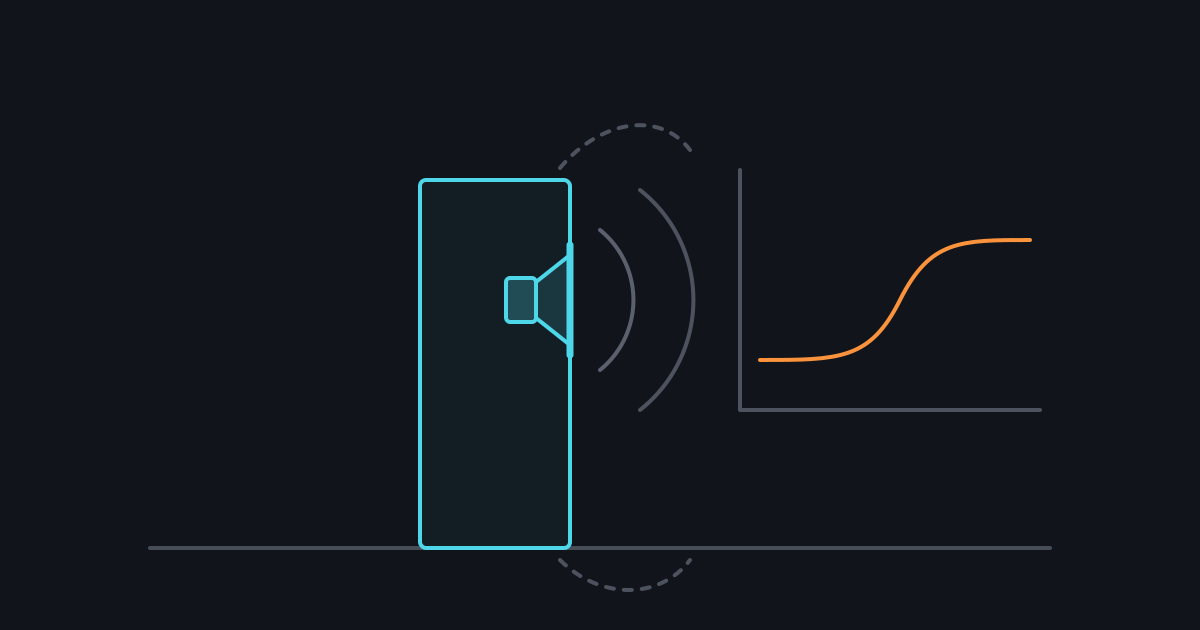
- What it is. At high frequencies the front panel (the baffle) is big compared with the wavelength, and the woofer radiates forward into half the space around it. At low frequencies the sound wraps round the cabinet into all the space around it, so the same output is spread over twice the area: 6 dB less on axis [1][2].
- Simulators leave it out. WinISD, like most box simulators, shows the speaker in an infinite baffle (half space) [3], which is right for a subwoofer on the floor or a speaker built into a wall, and up to 6 dB optimistic for a speaker on a stand. This app adds it with Signal → Baffle step.
- The step is lower than the usual rule. The popular f3 = 115 / baffle width (m) puts a 20 cm baffle's step at 575 Hz. For a 20 × 32 cm bookshelf baffle, the app puts it at 271 Hz, close to what the diffraction simulator The Edge gives (265 Hz) [4]. The rule comes from a sphere; a flat rectangular baffle steps about an octave lower, and a tall one lower still.
- How much to compensate depends on the room. The full 6 dB is right out in free space. A wall or the floor close behind gives some back, so 3–4 dB is typical for a bookshelf speaker in a room [2][5][6].
- It costs something either way.
- Active EQ boosts the bass: 4 times the power and twice the excursion for 6 dB.
- A passive network cuts the rest instead: the whole speaker's sensitivity drops by the amount you compensate, 88 dB to 83 dB here.
- Neither gets back output. A free-standing speaker's maximum bass is up to 6 dB below what an infinite-baffle simulation promises.
- Open baffles are different. A driver on a board with its back open (Boxes → + Box → Open baffle) already has its board's edges in the simulation: its bass falls 6 dB/octave below the dipole peak instead of stepping down 6 dB, so Signal → Baffle step doesn't apply to it.
The example
An SB Acoustics SB17NRX2C35-8, a popular 6.5″ two-way woofer [7], in a Keele-alignment box: 35 L tuned to 33 Hz with a 5 cm port, at 2.83 V. Its front baffle is 20 × 32 cm, with the woofer 10 cm from the side and 22 cm from the top (the tweeter above it).
| Enclosure | Peak |
|---|---|
| Infinite baffle (WinISD): ported 35 L, 33 Hz | 87.9 dB@ 350 Hz |
| Free-standing: ported 35 L, 33 Hz | 87.5 dB@ 495 Hz |
| +3 dB shelf: ported 35 L, 33 Hz | 88.2 dB@ 495 Hz |
| Passive 6 dB network: ported 35 L, 33 Hz | 83.2 dB@ 495 Hz |
| Enclosure |
|---|
| 15 × 32 cm |
| 20 × 32 cm |
| 40 × 32 cm |
| 20 × 100 cm tower |
| SPL at 2.83 V | 40 Hz | 100 Hz | 200 Hz | 300 Hz | 500 Hz | 1 kHz |
|---|---|---|---|---|---|---|
| Infinite baffle (what WinISD shows) | 87.4 | 87.8 | 87.9 | 87.9 | 87.9 | 87.9 |
| Free-standing | 81.5 | 82.4 | 83.9 | 85.3 | 87.6 | 89.5 |
| Difference | −5.8 | −5.4 | −4.0 | −2.6 | −0.3 | +1.6 |
The simulation said flat at 88 dB; free-standing, the bass is 6 dB down and the upper midrange 1–2 dB up. That 8 dB tilt is the thin, forward sound. The box's F3 is the same 31 Hz either way: the step is a tilt across the whole bass and midbass, not a loss of extension.
Where the step falls
The step happens over about three octaves, centred where the baffle's size is comparable to the wavelength. Three ways to estimate its centre (the −3 dB point) for this baffle:
| Method | 20 × 32 cm baffle |
|---|---|
| The usual rule, f3 = 115 / width (m) [1][2] | 575 Hz |
| The Edge's author's rule for a baffle about twice as tall as wide, 53 / width (m) [4] | 265 Hz |
| This app (edge diffraction over the whole baffle) | 271 Hz |
The 115/W rule is John Murphy's, fitted to Olson's measurements of a speaker in a sphere [1]. Svante Granqvist, who wrote the diffraction simulator The Edge, found it puts the step about an octave too high for rectangular baffles. His rules of thumb are 69/W for a square baffle, 53/W for one twice as tall as wide, and 33/W for a tall, narrow one [4]. The app agrees with them:
| Baffle | App's step | 115/W rule | The Edge's rule [4] |
|---|---|---|---|
| 20 × 20 cm, driver centred | 340 Hz | 575 Hz | 345 Hz |
| 30 × 30 cm, driver centred | 217 Hz | 383 Hz | 230 Hz |
| 20 × 32 cm (the example) | 271 Hz | 575 Hz | 265 Hz |
| 20 × 100 cm tower | 186 Hz | 575 Hz | 165 Hz |
So:
- Width matters most, but height counts. A tall tower with the same width steps about half an octave to an octave lower than a square baffle. The rule's "width" alone can't see that.
- A narrower baffle steps higher, which is why slim speakers sound thinner if they aren't compensated.
- Get it wrong by an octave and a compensation network boosts the wrong region: too high, and the speaker sounds hollow in the lower midrange.
Driver placement: the ripple
Above the step, the edges send back delayed copies of the sound that add and cancel, leaving ripples. They're worst when the driver is the same distance from every edge, because the copies all arrive together [1][8][9]:
| Enclosure |
|---|
| Centred |
| 11 cm from the side, 10 cm from the top |
| Enclosure | Peak |
|---|---|
| Infinite baffle (WinISD): ported 35 L, 33 Hz | 103.4 dB@ 350 Hz |
| Free-standing: ported 35 L, 33 Hz | 103.1 dB@ 495 Hz |
- Centred on a 30 cm square, the response peaks +2.9 dB near 900 Hz and dips −1.7 dB near 1.9 kHz.
- Moved 4–5 cm off centre, the peak drops to +1.9 dB and the dip all but disappears.
- Olson's 1951 measurements of twelve cabinet shapes showed the same: a sphere was smoothest, a driver centred on a flat circular baffle roughest (ripples of several dB), and bevelled or rounded shapes in between [8][9].
Rounded or chamfered edges smooth the ripple above the step; they don't remove the step itself, which is set by the cabinet's size. The app models a flat baffle with sharp edges, like The Edge and most diffraction tools [10]; it leaves out the cabinet's sides, rounded edges and the floor.
How much to compensate
The step is a loss of bass, and the room gives some of it back:
- Out in free space (outdoors, or far from every wall), the full 6 dB.
- On a stand in a room, a wall or the floor within a metre or so reflects bass back towards you, and a small room supports the bass too. 3–4 dB is the usual compromise for a bookshelf speaker [2][5][6].
- Against a wall or on a shelf, little or none: the wall acts as part of the baffle.
- Built into a wall (soffit mounting), there's no step at all, which is why some studio monitors are built in [11].
John Murphy's advice is to compensate the diffraction loss fully, and treat the room separately; in practice most two-way designs use 3–4 dB and recommend a distance from the wall [5][6][12].
The two ways to compensate
Active: a low shelf
A low shelf boosts everything below the step. In the app, Signal → Baffle step has a Compensate menu that adds one at the step frequency: +3 dB (near a wall) or +6 dB (free-standing).
- +3 dB lifts the bass to 84.5 dB at 40 Hz, leaving a 3 dB tilt for the room to fill.
- The cost is power and excursion. At 2.83 V, the cone moves 1.54 mm at 40 Hz with no shelf, 2.16 mm with +3 dB and 3.03 mm with +6 dB. For the same bass level as the infinite-baffle simulation you need 4 times the amplifier power below the step. It doesn't raise the maximum output: the cone and the voice coil hit their limits at the same bass level as before, just at a lower volume setting.
Passive: a coil and a resistor
In a passive two-way, the usual network is a coil in line with the woofer, with a resistor across the coil [1][2]. At low frequencies the coil passes everything; above the step it blocks, and the signal goes through the resistor instead, which turns the upper range down.
- The resistor sets the depth. About equal to the woofer's DC resistance gives 6 dB (5.6 Ω here, against Re 5.7 Ω).
- The coil sets the frequency. 2.4 mH puts the network's midpoint near the step, at about 270 Hz, with the woofer's DC resistance (5.7 Ω [7]) as the load.
- In the app, Signal → Passive parts, branch 1 (in line): R 5.6 Ω and L 2.4 mH, Joined: In parallel. The example link has it set.
With it, the bookshelf measures 81–84 dB from 40 Hz to 1 kHz, flat within about ±1.5 dB, but at about 83 dB instead of 88 dB. The bass isn't louder; everything else is quieter. The tweeter has to be padded down to match, so the whole speaker loses the sensitivity you compensate [12]. A real coil's own resistance adds a little more loss.
| Bass level | Upper midrange | Sensitivity | Amplifier power for the same bass | |
|---|---|---|---|---|
| No compensation | 81.5 dB | 89.5 dB | high, but thin | the same |
| Active +6 dB shelf | 87.4 dB | 90 dB | as designed | 4 times |
| Passive 6 dB network | 81.2 dB | 84 dB | 5–6 dB lower | the same (you turn it up) |
Either way you pay about the same, in amplifier power: the passive speaker needs the same 4 times the power for the same loudness, it just takes it across the whole range.
What it costs in output
The baffle step also lowers the maximum bass. On an infinite baffle the app's Max SPL chart gives this woofer 97.6 dB at 50 Hz within its excursion and power limits; free-standing, 91.9 dB, 5.8 dB less. Compensation can't get that back. If the bass has to be loud, the answers are more cone area (a bigger woofer, or two), placement near a wall, or a subwoofer (see Hofmann's Iron Law for the trade between box size, efficiency and bass extension).
Doing it in the app
- Signal → Baffle step: choose Free-standing.
- Size: under Baffle size, take it From the box (the volume calculator's outside width and height) or Enter here, then the woofer's position (From left, From top). Step at shows where the step is half done.
- SPL and Max SPL charts then include the step, up to 1 kHz. The summary's F3 stays the infinite-baffle one.
- Compensate: Compensate → +3 dB (near a wall) or +6 dB (free-standing) adds a low shelf in EQ; or build the passive network in Passive parts.
- Measure: a near-field measurement doesn't include the baffle step, so compare it with the simulation without it; a far-field or in-room one, with it (see simulation vs measurement).
Use it on a driver's curve
For crossover work you want the woofer's (or tweeter's) whole response on your baffle, not just the bass. The Driver curve window does that, and it opens three ways: Save & Export → Crossover tools → Driver on baffle (pick the file and the window opens with it), opening or dropping an .frd and choosing Put the driver on my baffle, or Signal → Baffle step → Driver curve. It works with the baffle step on or off: the charts only change when Baffle step is set to Free-standing. With only open baffles on, the three ways in aren't shown (an open baffle has no baffle step: the dipole model covers its board); with open baffles and boxes together they stay, for the boxes.
- Load the driver's curve: an .frd or text file of frequency, dB and (if you have it) phase, from the datasheet's half-space or infinite-baffle curve or your own ground-plane measurement. A curve measured on a test baffle already has some of that baffle's diffraction in it; it isn't taken out.
- Check the baffle and the cone: the baffle's size (from the box, or typed in) and the driver's place on it are Baffle step's own fields, so changing them here changes them there too. The cone diameter starts from the driver's Sd; type another if the curve is a different driver's.
- Export FRD saves the curve on your baffle, with the phase moved by the baffle's, ready for VituixCAD, XSim or another crossover tool. With no phase in the file, the export carries only the baffle's phase: let your crossover tool make the driver's minimum phase.
- ⋯ → Export baffle only (.frd) saves the baffle's effect by itself, to add to any driver curve in a tool that sums curves.
The model treats the cone as a few points and leaves out how a driver beams at high frequencies, so above the frequency the window names (where the cone is about two-thirds of a wavelength across) the result is approximate; the ripple there is small. Rounded edges aren't modelled either.
The forum claims, checked
| Claim | Verdict |
|---|---|
| "Free-standing speakers lose 6 dB of bass" | Up to 6 dB, in free space. In a room, walls give some back; 3–4 dB of compensation is typical. |
| "The step is at 115 / baffle width" | That rule is for a sphere. For a rectangular baffle it's about an octave lower; 271 Hz instead of 575 Hz for a 20 × 32 cm bookshelf. |
| "BSC adds bass" | It evens the balance. Active: more power and excursion in the bass. Passive: less sensitivity everywhere else. |
| "Compensation gives back the lost output" | No: the maximum bass free-standing is up to 6 dB below the infinite-baffle simulation either way. |
| "Round the edges to fix it" | That smooths the ripple above the step, not the step. |
| "WinISD shows it" | No: WinISD's SPL is for an infinite baffle [3]. |
Sources
- John L. Murphy, Loudspeaker Diffraction Loss and Compensation, True Audio: the 6 dB loss, the f3 = 115 / W(m) rule checked against Olson's 2 ft enclosure, the coil-and-resistor network; worst case a driver centred on a circular baffle.
- Rod Elliott, Baffle Step Compensation, Elliott Sound Products: the step, Murphy's formula, compensation circuits, and why rooms make it harder.
- diyAudio, WinISD and open baffles: WinISD's SPL represents an infinite baffle; diffraction is simulated separately, for example in VituixCAD's diffraction tool.
- diyAudio, BSC: how well does 115/W perform? and Diffract.exe is no more, try The Edge: The Edge's author finds 115/W too high for rectangular baffles; 69/W square, 53/W for H = 2W, 33/W for a tall narrow baffle.
- diyAudio, How do you baffle-compensate a full range?: 3–4 dB typical for two-way bookshelf speakers; smaller rooms need less.
- Audioholics forum, Speaker placement and early reflections: free-standing speakers generally get 3–4 dB of BSC; on a wall, less is needed because the bass reflects off the wall.
- SB Acoustics SB17NRX2C35-8, loudspeakerdatabase.com, and hifisound.de's data (Re 5.7 Ω); the app uses SB Acoustics' own parameters.
- H. F. Olson, "Direct Radiator Loudspeaker Enclosures", Audio Engineering, 1951; J. Audio Eng. Soc. 17 (1), 22–29, 1969. AES E-Library.
- Stereophile, Cutting Corners: Olson's twelve shapes, response ripples up to ±5 dB for a driver centred on a circular baffle, and chamfered edges.
- J. Vanderkooy, "A Simple Theory of Cabinet Edge Diffraction", J. Audio Eng. Soc. 39 (12), 923–933, 1991. AES E-Library.
- diyAudio, Baffle step frequency: flush-mounted (soffit) monitors avoid both the baffle step and edge diffraction; John Sayers archive: soffit-mounted monitors need their built-in BSC turned back off.
- John L. Murphy, Diffraction loss compensation, True Audio: compensate the diffraction loss fully and the room separately; 3–4 dB may be closer to neutral in some rooms. diyAudio, system sensitivity and BSC: the system's sensitivity drops by the amount of compensation.