
Port chuffing: how big should my port be?
Ask AI about this page
A ported box that sounds great quietly can start to huff and whistle when you turn it up. That's port chuffing: the air in the port moving too fast. Here's how fast is too fast, why the fix is usually a bigger port, and what to do when a bigger port won't fit.
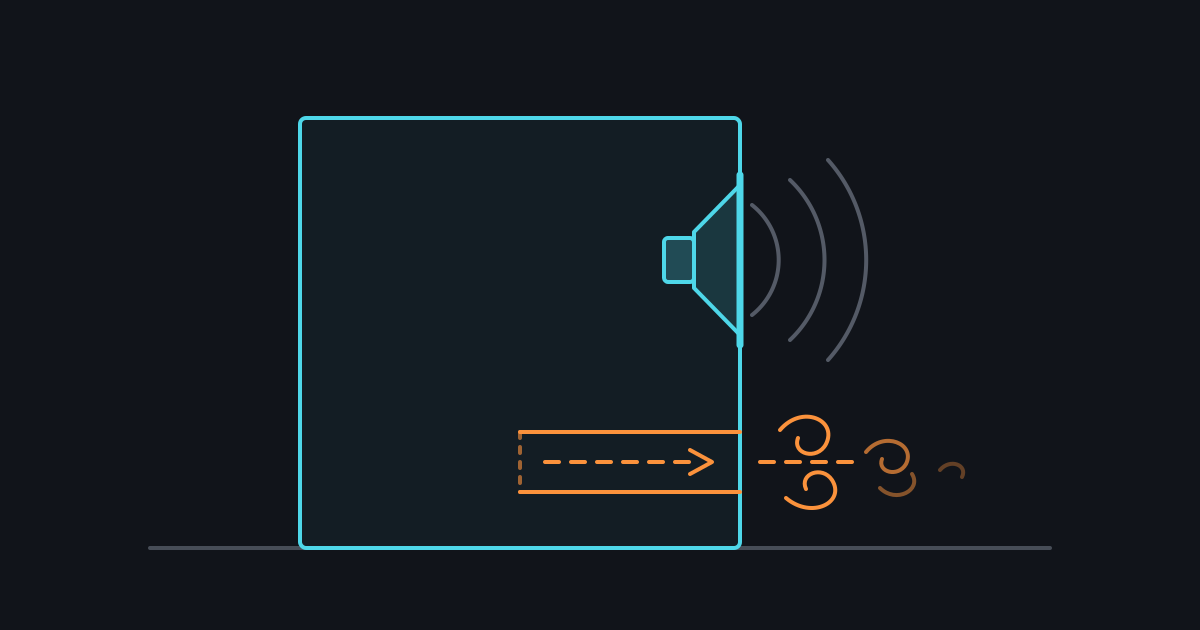
Why ports chuff
Around the box's tuning frequency, most of the bass comes out of the port, and the air in it moves back and forth fast. Past a certain speed the flow stops being smooth: it breaks into turbulence at the port's ends, which you hear as chuffing, and the port starts to lose output (port compression).
The usual rule is to keep the peak air speed under about 17 m/s, about 5 % of the speed of sound. That's where the app draws its chuffing-risk line on the Port speed chart. Ports with well-rounded (flared) ends tolerate more.
How much port noise you accept is up to you: car SPL builds often run 25–30 m/s at full power. Set your own line in Settings → Limits → Port speed & excursion → Chuffing line; the chart, the summary's ⚠ and the design assistant all use it.
Area against length
Here's the catch. The air speed depends on the port's area: double the area and the air moves half as fast. But the tuning depends on the area and the length: for the same box and tuning, a port with twice the area has to be roughly twice as long. So a quiet port is a long port.
The worked example
A Dayton Audio RSS315HF-4, a 12″ subwoofer (Xmax 14.3 mm, 400 W), in Keele's flat alignment: 83.5 L tuned to 23.8 Hz (the textbook box; the app's QB3 preset, sized as WinISD sizes it, gives 75.6 L at 24.4 Hz). It's driven at 300 W behind a 24 dB/oct high-pass filter at 20 Hz, which keeps the cone at 10.6 mm, within its Xmax. The port options, each cut to length for 23.8 Hz:
| Port | Area | Length | Peak air speed |
|---|---|---|---|
| 7.5 cm round | 44 cm² | 22 cm | 51.5 m/s: far too fast |
| 10 cm round | 79 cm² | 42 cm | 29.0 m/s: chuffs |
| 12.5 cm round | 123 cm² | 68 cm | 18.5 m/s: borderline |
| 15 cm round | 177 cm² | 101 cm | 12.9 m/s: quiet |
| 5 × 30 cm slot | 150 cm² | 85 cm | 15.2 m/s: quiet |
| 10 cm round, flared ends (2.5 cm) | 79 cm² | 46 cm | 12.9 m/s at the flared ends |
The box is about 44 cm deep inside. The 10 cm port nearly fits, but chuffs; the quiet ones are two to three times longer than the box is deep.
| Enclosure | Peak |
|---|---|
| 10 cm port | 29.0 m/s@ 23.4 Hz |
| 5 × 30 cm slot | 15.2 m/s@ 23.4 Hz |
| 10 cm flared | 12.9 m/s@ 23.4 Hz |
| Enclosure | Peak |
|---|---|
| 10 cm port | 29.0 m/s@ 23.4 Hz |
| 5 × 30 cm slot | 15.2 m/s@ 23.4 Hz |
| 10 cm flared | 12.9 m/s@ 23.4 Hz |
What to do when the right port won't fit
Use a slot port. A slot along one wall of the box uses that wall as one of its sides, and it can run along the wall and turn the corner (an L shape) to get the length. A 5 × 30 cm slot is as quiet as a 15 cm tube here, and much easier to fit. In the app, set the port's shape to a slot. A slot along the walls tends to tune a little lower than calculated, and its sharp edges are noisier than a flared tube's: see round port vs slot port.
Flare the ends. Rounding the port's ends (with a radius of a few centimetres) slows the air where the noise starts, which helps a lot: the app shows the speed at the flared ends, 12.9 m/s here, though the middle of the 10 cm port is still at 29.0 m/s. Flared ports are the best answer when you're only a little over. In the app, set the port's Flare r (about a quarter of the diameter is a good start).
The design assistant works through the same choices for you: for each ported result it tries a plain tube, then a flared tube, then a slot along a wall, each the largest that fits straight, and keeps the first under your chuffing line.
Use a longer cabinet. A tall Sonotube has a long straight run inside for a long port; shaped cabinets builds this sub as a box, a tube, a sphere and a tapered box, and shows how much port each one fits.
Bend the port. A round port can have an elbow or two. The air speed and tuning barely change with gentle bends; keep the open end at least one port diameter away from the walls.
Make the box bigger or tune it higher. A bigger box needs a shorter port for the same area and tuning, and so does a higher tuning (at the cost of less deep bass). Try it in the example: change the volume, then press Set length (under Tune to) to recut the port.
Accept a little less power. The air speed rises with the drive level, so halving the power (−3 dB) cuts the peak speed by about 30 %. Sometimes the honest answer is that the box is too small for that power.
Long ports have their own resonance
A long port is also a pipe, with its own resonance at about the speed of sound divided by twice its length: around 200 Hz for the 85 cm slot. For a subwoofer crossed over at 80 Hz, that's harmless. For a ported speaker that plays higher, it can show up as a peak in the midrange. Set Settings → Simulation → Ports → Pipe to see a port's pipe resonances on the charts.
Checklist
- Keep the peak port speed under about 17 m/s at your real power (the red line on the Port speed chart), or the line you've set in Settings → Limits → Port speed & excursion.
- Make the port bigger before anything else; press Set length to recut it for the tuning.
- If it won't fit, use a slot along a wall, bend it, or flare its ends.
- Check a long port's pipe resonance if the speaker plays above about 100 Hz.
- If nothing fits, make the box bigger, tune it higher, or play it a little quieter.
Try it: the ported box calculator sizes a QB3, C4 or BB4 box for your driver, picks a port that fits and shows its air speed at your power.