
Round port vs slot port: why your slot tunes lower and chuffs sooner
Ask AI about this page
It's a regular on car-audio and DIY forums. Someone puts the box into a port calculator, builds an L-shaped slot port along the bottom of the box to the calculated length, sweeps the impedance, and finds the box tuned 4–6 Hz lower than WinISD said. The replies are split between "your volume's wrong", "slots are just like that" and "use K = 2.227". Here's a 4″ flared round port and a slot of the same area in the same box, what the calculators assume, what changes when the slot shares the box's walls, and the pipe resonance both of them carry.
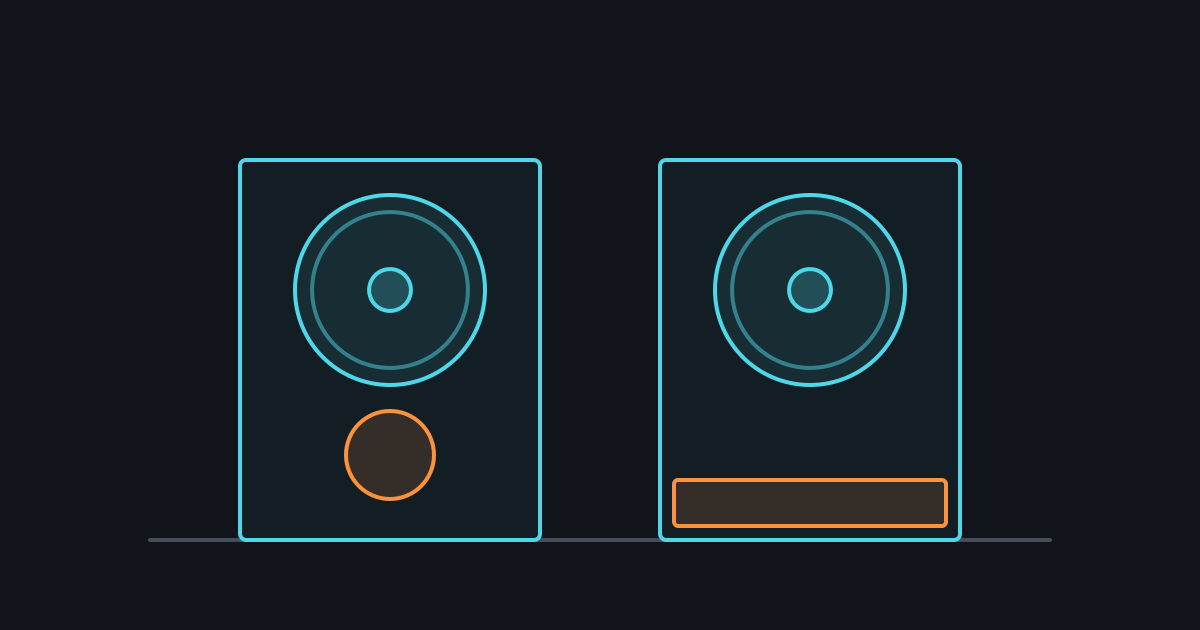
Open the three ports → Open them as pipes →
The short answer
- To a calculator, a slot is just a round port of the same area. WinISD, Hornresp and this app all give it the end correction of a round tube, by default 0.732 × the diameter of a circle with the same area [1][2][3]. So the same area and tuning give nearly the same length, about 42 cm for the slot and 45 cm for the flared tube here.
- A slot built along the box walls doesn't behave like a free tube. Three of its four walls carry on past its inner end, so more air moves with the port. The port acts longer than it is, and the box tunes lower. No simulator can work out by how much. This app gives a slot a likely tuning range instead (see Doing it in the app).
- How much lower is uncertain. Rules of thumb range from adding half the slot's height (about 0.5 Hz here) to the forums' K = 2.227 "shelf vent" figure (4.4 Hz here, from 35 to 30.6 Hz). Builders typically report 3–4 Hz, or a port that ends up 10–15 % shorter than calculated [4][5][6]. Build it to the calculated length, measure, and trim.
- A plain slot gets noisy sooner than a flared round port, mainly because of its sharp edges, not its shape. At this sub's 350 W rating the slot reaches 21.6 m/s, over the 17 m/s line, and loses 1.7 dB to port compression. The flared port's air slows to 11.0 m/s at its mouths and loses 0.7 dB. Rounding the slot's edges closes much of the gap [7][8].
- Every port is also a pipe. Its first pipe resonance is near the speed of sound ÷ (2 × effective length): about 347 Hz for both ports here, because the same tuning and area need the same effective length. The 500–700 Hz resonances you see quoted come from shorter ports (a 4″ tube 20 cm long resonates at about 625 Hz). Behind a subwoofer's 80 Hz low-pass filter it's about 50 dB down. In a speaker that plays the midrange, it's a real peak.
The setup
A Dayton Audio RSS265HF-4 10″ subwoofer in 40 L tuned to 35 Hz, behind a 25 Hz, 24 dB/octave subsonic filter, at its rated 350 W, with the app's Port compression on. Three ports:
| Port | Length | Equivalent diameter | Tuning (app) | |
|---|---|---|---|---|
| Blue | 4″ (10.16 cm) round, 2.5 cm flares on both ends | 45.2 cm end to end | 10.16 cm | 35.0 Hz |
| Orange | 8:1 slot, 25.5 × 3.18 cm (81 cm², the same area) | 41.9 cm | 10.16 cm | 35.0 Hz |
| Red | Stand-in for the slot if its walls add K = 2.227: a plain tube of the same area, 15.2 cm longer | 57.1 cm modelled (the slot is still built at 41.9 cm) | 10.16 cm | 30.6 Hz |
The flared tube is longer than the slot for the same tuning because its flared ends are wider, so the air in them weighs less per centimetre [2]. Neither fits straight in a 40 L box, so the app flags Port too long to fit: the tube would need an elbow, and the slot is built as an L. At full power the cone also just reaches its Xmax near 24 Hz in all three boxes. That's the driver, not the port.
The red port is the orange slot as it may behave when built along the box walls, with the forums' worst-case K. The end correction is one setting for every port, so to show both in one project the extra end correction is entered as extra length: (2.227 − 0.732) × 10.16 cm = 15.2 cm, on a plain tube of the same area, which tunes, moves air and resonates the same in the model. The orange slot's own Along the walls note gives the likelier range, 32.5–34.4 Hz.
| Enclosure | Peak |
|---|---|
| 4″ round port, flared | 20.2 Ω@ 18.0 Hz |
| 8:1 slot 25.5 × 3.18 cm, as calculated | 20.2 Ω@ 18.0 Hz |
| Stand-in: the slot if its walls add K 2.227 | 19.3 Ω@ 16.7 Hz |
| Enclosure | Peak |
|---|---|
| 4″ round port, flared | 10.9 m/s@ 34.7 Hz |
| 8:1 slot 25.5 × 3.18 cm, as calculated | 21.6 m/s@ 35.1 Hz |
| Stand-in: the slot if its walls add K 2.227 | 19.4 m/s@ 31.2 Hz |
Why a slot along the walls tunes lower
A port tunes the box with the mass of the air inside it, plus some air just beyond each end that moves with it. That extra air is the end correction, counted as extra length:
Effective length = physical length + K × diameter
The tuning goes with one over the square root of the effective length, so a heavier air plug tunes lower. (The port tuning guide covers the rest of what moves the tuning.)
- The usual K = 0.732 is for a round tube with one end set in the baffle (flanged) and the other in open space inside the box (free). It comes from Levine and Schwinger's 0.6133 × radius for a free end, plus about 0.85 × radius for a flanged one [1][9].
- A slot along the box floor and sides isn't free at its inner end. Its floor and side walls carry straight on into the box; only the top plate stops. The air leaving the slot can't spread out in every direction, as it would from a tube in the middle of the box: it's guided along the walls. More air moves with the port, so its end correction is bigger. The WinISD manual says the same: its length assumes one flanged end and one end free inside the box, and it suggests changing the correction for other cases [1].
- The bigger the correction, the more a calculator overestimates the length. For this slot and 40 L:
| End correction K (× equivalent diameter) | Where it comes from | Tuning at 41.9 cm | Length for 35 Hz |
|---|---|---|---|
| 0.732 | One flanged, one free end: the default in WinISD, Hornresp and this app | 35.0 Hz | 41.9 cm |
| 0.849 | Both ends flanged | 34.6 Hz | 40.7 cm |
| 0.888 | JL Audio's rule: add half the slot's height [10] | 34.5 Hz | 40.4 cm |
| 1.2 | An end very close to walls | 33.4 Hz | 37.2 cm |
| 1.5 | 32.5 Hz | 34.1 cm | |
| 2.227 | The "shelf vent" figure on a chart circulated on diyAudio [4][11] | 30.6 Hz | 26.7 cm |
The rules disagree by a factor of ten. JL's half-height rule barely moves anything, and as one forum poster pointed out, it gives a smaller correction to a wide, flat slot than to a tall, narrow one, which seems backwards [10]. The 2.227 figure is the worst case on that chart, and forum users who've tried it report mixed results [5]. Builders' measurements tend to land in between: tuning 3–4 Hz low, or a port 10–15 % shorter than calculated, which is K of about 1.2–1.5 here [4][6].
What makes it worse:
- A slot that spans the full width of the box, so both of its sides are box walls.
- A short, wide, flat slot, where the end correction is a bigger part of the effective length.
- An inner end close to the back wall or a brace.
An L-shaped slot adds one more uncertainty: measure its length along the middle of the channel, through the bend [12].
Why a slot chuffs sooner
Same area means the same air speed in the middle of the port for the same output. What differs is the ends and the walls:
- Sharp edges. Air drawn into a sharp-edged opening separates from the walls and turns turbulent. That's the "chuffing" noise, and it costs output (port compression) [7]. A flared or rounded end lets the air speed up and slow down gently.
- Corners and more wall. An 8:1 slot has 1.8 times the perimeter of a circle of the same area (57.4 cm against 31.9 cm), so more wall rubs the air, and four corners where flow separates easily. Some designers lower Qp (the port's loss) to 60–80 for extreme slots [5].
- In a test by a Steve Meade Designs forum member, an unflared slot was the first to make audible noise, an unflared round tube took a little more power, and flared ports took about 2.5 times the power before chuffing [8].
In the app, at 350 W:
| Air speed | Port compression | Max SPL at 30 / 35 / 40 Hz | |
|---|---|---|---|
| 4″ round, flared | 11.0 m/s at the flared mouths | −0.7 dB | 105.7 / 109.7 / 112.3 dB (coil rating) |
| 8:1 slot, sharp-edged | 21.6 m/s | −1.7 dB | 102.3 / 106.3 / 109.8 dB (port speed) |
How to read this:
- The flared port isn't moving less air. Its narrow middle runs at about the same speed as the slot. The app judges a flared port at its wider mouths, where the noise starts, so its line sits lower.
- That's generous for a large flare. Experiments put the gain from flaring at about 1.25–1.6 times the air speed before audible noise, not the 2.2 times this 2.5 cm flare's mouth area implies [8][13]. Treat the flared port's margin as an upper bound.
- The app treats every unflared port the same. It doesn't penalise the slot's corners. Lower Port Qp in Settings if you want to allow for them.
If you build a slot, round over its edges at both ends and give it more area than a tube would need. A slot is easy to make big, which is why it chuffs less in many real boxes: the port chuffing guide's 5 × 30 cm slot stays quiet where a 10 cm tube doesn't.
The pipe resonance
The air in a port is a slug of mass at the tuning frequency, but higher up it's a pipe open at both ends, and it resonates near:
f ≈ c ÷ (2 × effective length)
Sound from inside the box comes out of the port as a peak there [14][15].
| Enclosure | Peak |
|---|---|
| 4″ round port, flared | 113.5 dB@ 48.1 Hz |
| As a pipe: 4″ round port, flared | 113.6 dB@ 47.5 Hz |
| Enclosure | Peak |
|---|---|
| Stand-in: the slot if its walls add K 2.227 | 112.1 dB@ 49.7 Hz |
| As a pipe: Stand-in: the slot if its walls add K 2.227 | 113.8 dB@ 268 Hz |
- Same tuning, same pipe resonance. The round port and the slot have the same effective length (49.4 and 49.3 cm), so both resonate at about 347 Hz. Port shape doesn't change it much; length does.
- The 500–700 Hz figure comes from short ports. Straight 4″ tubes resonate at about 765 Hz at 15 cm, 625 Hz at 20 cm, 513 Hz at 26 cm and 458 Hz at 30 cm. One diyAudio member measured a high-Q peak at about 540 Hz from his port, only 5 dB below its bass output [14].
- Long ports bring it down into the bass's range. The chuffing guide's 85 cm slot sits near 200 Hz. The slot's stand-in here, modelled longer, is at about 267 Hz. That modelled shift is only approximate: the extra air at a wall-backed end isn't quite the same as extra pipe.
- For a subwoofer crossed over at 80 Hz with 24 dB/octave, 347 Hz is about 50 dB down: harmless.
- For a ported woofer that plays to 300 Hz or more (a two-way bookshelf, a PA box), it's audible. The usual fixes are a shorter, narrower port, a port lined or loosely stuffed with damping, or a passive radiator instead [14][15].
- The app shows it. Settings → Simulation → Ports → Pipe draws it on the SPL chart, and every port gets a Pipe resonance note with its frequency. That note warns when it falls below 300 Hz, or near the box's own lowest standing wave (which the app doesn't simulate).
Doing it in the app
- Port shape: in the box, open its Port row, set the shape to Slot and enter its width and height. Type the tuning in Tune to and press Set length under it: that's the length for a free inner end (K = 0.732), the same as WinISD.
- Allow for the walls: a slot port gets an Along the walls note with the tuning it will likely have when built along the box walls (K 0.9–1.5): 32.5–34.4 Hz for this slot. It also gives the length to trim towards if the measured tuning is low, the length for the shown tuning with K = 1.2 (37.1 cm here). The app doesn't model a K for this, because nobody knows it well enough; the range and a trim plan are the honest answer.
- Your own K: if you've measured your own slot builds (or are matching another program), set Settings → Simulation → Ports → End correction K. It applies to every port in ported and bandpass boxes: their tuning, Set length, the presets and sizing. A WinISD project keeps its end correction when you import it, and an export writes yours. With K at 0.9 or more, the slot's range note goes away, since your K already allows for the walls. To try a K on one port only, add (K − 0.732) × the equivalent diameter, 2 × √(width × height ÷ π), to its length, as the red stand-in does.
- Round port: set Flare r for rounded ends. The length is then end to end, flares included.
- Chuffing: the Port speed chart has the 17 m/s line. Turn on Settings → Simulation → Ports → Port compression to see the output it costs, and lower Port Qp (Settings → Simulation → Box) for a sharp-edged slot.
- Pipe resonance: the port row shows it; Settings → Simulation → Ports → Pipe puts it on the charts.
- Check the build: measure the impedance and compare the dip with the app's. The simulation vs measurement guide shows how. If the slot tuned low, shorten the slot's top plate a little at a time.
The forum claims, checked
| Claim | Verdict |
|---|---|
| "Slot ports tune lower than the calculator says" | Usually, when built along the box walls: the walls add end correction no calculator models. Typically 3–4 Hz, up to about 4.4 Hz here for the worst-case K = 2.227. |
| "Use K = 2.227 for a slot" | A worst-case chart value, not a measured law. Builders' results suggest less. Build long, measure, trim. |
| "Same area, same port" | For tuning in the simulators, yes. For noise, no: a sharp-edged slot chuffs sooner than a flared tube unless you round it over. |
| "Slots are quieter" | Only because they're usually bigger. Area for area, edges and corners make them noisier. |
| "Long ports cause a 500–700 Hz peak" | Short ports do. A long port's resonance is lower: about 347 Hz here, 200 Hz for an 85 cm slot. Irrelevant behind an 80 Hz sub low-pass; audible in a midrange-playing woofer. |
| "The app settles it" | Partly. It models slots, flares, port speed, compression and pipe resonances. Like WinISD and Hornresp, it can't calculate a wall-backed slot's end correction, so it gives the likely tuning range and a trim length, and takes your own K if you've measured it. |
Sources
- WinISD help, quoted on CarAudio.com, does WinISD calculate end correction into port length?: length assumes one flanged and one free end (0.732). End correction values 0.6133 (two free), 0.7311 (one flanged, one free) and 0.8488 (two flanged ends).
- This app: ports use K × the equal-area diameter for round and slot alike (K = 0.732 unless changed in Settings → Simulation → Ports), and flared ends as wider sections (see the port tuning guide).
- diyAudio, Hornresp thread: when constructing the cabinet, should the port's physical length be 20 cm or 23.46 cm?: Hornresp's port end correction assumes a cylindrical tube; its author had no formula for a slot.
- diyAudio, vent tuning when 3 of 4 sides are the enclosure walls: WinISD assumes the inner end is in open space; slots typically tune lower, 3–4 Hz in that build; K = 2.227 is suggested.
- diyAudio, WinISD vs subbox.pro slot port and subwoofer not performing as it should: slots sharing three walls tune lower; lower Qp for extreme slots; K = 2.227 tried in VituixCAD, with doubts about it.
- Midwest Audio Club, discussion on port end correction and boundaries: boundary proximity lowers tuning; ports often end up 10–15 % shorter than calculated with 0.732.
- A. Salvatti, A. Devantier, D. Button, "Maximizing Performance from Loudspeaker Ports", J. Audio Eng. Soc. 50 (1/2), 2002 (PDF): the sharp discontinuity at a plain port's end creates turbulence at high drive levels; flared ends reduce it.
- Steve Meade Designs forum, flared vs non-flared ports, an experiment, quoted on diyAudio: unflared slot noisy first, unflared round next, flared ports about 2.5 times the power.
- H. Levine and J. Schwinger, "On the radiation of sound from an unflanged circular pipe", Phys. Rev. 73, 383 (1948), APS: end correction 0.6133 × radius. Flanged value 0.8216 × radius: F. Silva et al., arXiv:0811.3625.
- Home Theater Forum, slotted port help: JL Audio's rule (add half the slot's height for a wall-backed slot) and a reader's objection to it.
- diyAudio, calculating port end correction: the end-correction chart whose worst case is 2.227; "listen, measure, shorten".
- Creative Audio, Enclosure ports: a slot's length is measured along its centre line, through the bend.
- Subwoofer-builder.com, Evaluation of noise in flared ports: below about 10 m/s ports are quiet; at the seat, flares allowed about 25 % more air speed before noise was audible.
- diyAudio, port midrange leakage: a measured high-Q port resonance near 540 Hz; pipe resonance vs midrange leakage, and fixes.
- audioXpress, Patent Review: Bass-Reflex Speaker Cabinet Having a Recessed Port: port pipe resonances land in the lower midrange and can rival the driver's own output in two-way and full-range speakers.